
News
How to Secure Your Smart Home Against 2026 Phishing Scams
Learn how to protect your smart home from 2026 AI-powered phishing scams. Secure your IoT devices, hubs, and network with this expert step-by-step how-to guide.

In 2026, the idea of a phishing scam feels very different from what it used to be. It is no longer just a poorly written email from a stranger claiming to be a distant relative. Today’s attackers rely on Generative AI and Deepfake technology to create messages, voices, and even videos that feel unsettlingly real. These scams are often tailored specifically to your Smart Home, the network of connected devices quietly managing your doors, cameras, lighting, and climate every day.
And that is the uncomfortable part, I think. Your smart home is not just about convenience anymore. It is tied directly to your privacy and physical safety. One convincing click on a fake update notice or support alert can, in some cases, hand over control of your door locks or indoor cameras. That is a big shift from the old days of stolen email passwords.
This guide walks through a practical, step-by-step approach to insulating your smart home against modern phishing threats, without assuming you are a cybersecurity expert or want to be one.
The Main Entities of Smart Home Security
Before locking anything down, it helps to understand the moving pieces involved. These terms get used a lot, sometimes loosely, so a bit of clarity matters.
IoT Internet of Things
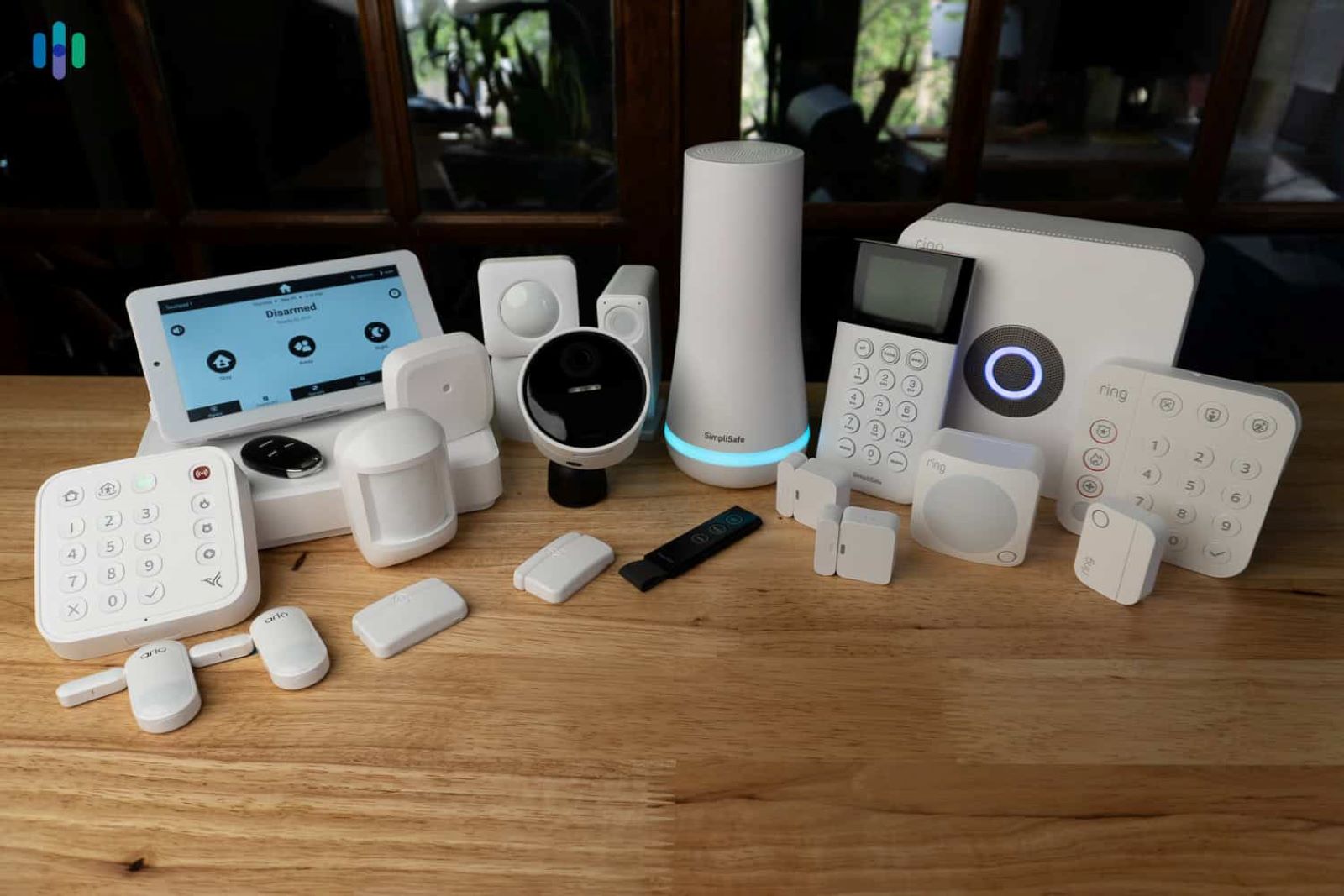
This refers to the network of connected devices inside your home, such as smart bulbs, fridges, cameras, plugs, and sensors. They constantly communicate with each other and, often, with cloud services outside your home.
Smart Home Hub
The hub is the central brain that coordinates everything. Devices like Apple HomePod, Amazon Echo, or Google Nest act as command centers, controlling individual devices and automations through one account.
Phishing
Phishing is a social engineering attack where scammers impersonate trusted brands or services, often your device manufacturer or security provider, to steal credentials or push malicious software.
Firmware
Firmware is the built-in software that runs your smart devices. It is not something you interact with daily, but it needs regular updates to fix security weaknesses attackers love to exploit.
Step 1: Isolate Your Devices via Network Segmentation
This is one of those steps that sounds technical but pays off immediately. Most people connect everything, laptops, phones, smart TVs, and fridges, to the same Wi-Fi network. That convenience creates a serious risk.
If a phishing scam compromises one smart device, an attacker can sometimes move laterally to your laptop or phone.
Log into your router settings by entering your IP address into a web browser.
Find the Guest Network option.
Create a dedicated guest network used only for IoT devices.
Keep your primary computer and smartphone, especially the ones used for banking or work, on the main private network.
Set the guest network to use WPA3 encryption, which is the 2026 standard for wireless security.
It feels a bit tedious the first time, but this separation alone can stop a lot of attacks from spreading.
Step 2: Implement Phishing-Resistant Authentication
By 2026, relying on text message codes feels outdated, and honestly, risky. SIM swapping and AI-driven interception have made SMS-based verification far too easy to bypass.
Enable passkeys wherever possible. If your smart home provider such as Amazon, Google, or Apple supports them, turn them on. Passkeys rely on biometrics like Face ID or fingerprints and do not use shared passwords, which makes them extremely difficult to phish.
For your most sensitive accounts, consider hardware security keys. A physical USB or NFC device such as a YubiKey adds a layer of protection that attackers simply cannot replicate remotely.
Make sure multi-factor authentication is enabled on your smart home hub app. If a device or platform does not offer MFA in 2026, that is probably a red flag rather than a missing feature.
Step 3: Harden Your Smart Home Hub
Your smart home hub is the crown jewel. Attackers know this. A common tactic now involves fake system update emails that link to realistic login pages designed to capture hub credentials.
Go into your hub settings and review third-party skills or actions. Remove anything you have not used in the last 30 days. Old integrations tend to be forgotten and quietly abused.
Disable voice purchasing if you do not rely on it. Voice deepfakes have reached a level where unauthorized purchases are no longer hypothetical.
Whenever possible, choose devices that support local-only control, such as Matter-compatible hardware. Local control limits unnecessary internet communication and reduces exposure to phishing-based attacks that rely on cloud access.
Step 4: Verify Urgent Communications
Phishing in 2026 often leans heavily on urgency. You might receive a call that sounds exactly like a technician from your security company warning that your alarm system is failing.
Adopt the slow down rule. Legitimate companies do not pressure you to click links or share codes immediately.
Use out-of-band verification. If you receive a suspicious message, open the official app directly or manually type the company’s website into your browser instead of clicking links.
Inspect URLs carefully. Homograph attacks that replace letters, such as appIe.com instead of apple.com, are subtle and surprisingly effective.
Step 5: Automate Your Defenses
Humans make mistakes, even careful ones. Automation helps reduce how often you need to be perfect.
Enable automatic firmware updates on every camera, plug, and hub. Most phishing exploits depend on vulnerabilities that have already been patched but not installed.
Consider AI-based network monitoring through a modern router or security service like Bitdefender or ESET. These tools watch device behavior and can flag something as simple as a smart bulb attempting to send data to an unfamiliar overseas server.
It is not about paranoia. It is about letting systems catch problems before you even notice them.
FAQ: Frequently Asked Questions
Q: Can my smart lightbulb really be used to hack my bank account?
A: Not directly. However, if your bulb is on the same network as your computer, a hacker can use the compromised bulb as a “foothold” to scan your network for vulnerabilities on your PC. This is why Network Segmentation is vital.
Q: How do I know if an email from my smart home brand is a 2026 AI scam?
A: Look for “perfect” language. Paradoxically, 2026 AI scams often have perfect grammar but lack personal context. Most importantly, check the Sender Address carefully. If the email asks you to “Re-verify your identity” by clicking a link, it is almost certainly a scam.
Q: What should I do if I think I clicked a phishing link?
A: Immediately disconnect your Smart Home Hub from the internet. Change your account password from a different, clean device, and enable a New Passkey. Check your device logs for any unauthorized “Guest” users added to your home.